Three minutes, no account.
Every screen below is the running app, captured from the beta backend. Scroll in the order a musician's week actually goes.
One · Home
Who's free, and what's next.
Home opens on the people you follow and the rail of who is free today. Your own next gig sits above the feed, and your bands are one tap away. The switch at the top moves between the feed and the vertical video surface.
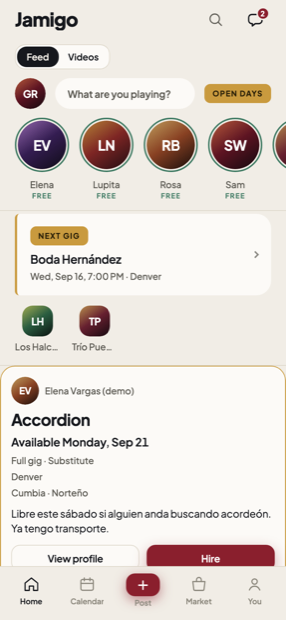
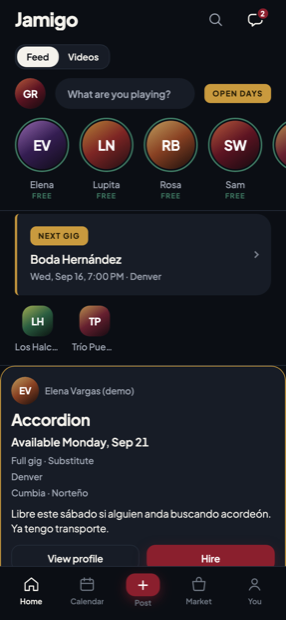
Light and dark. Both ship.
Two · Calendar
Open, booked, blocked, rehearsal.
Four states, four colours, the same everywhere in the app. Set the days you are usually free once and the calendar fills itself in — those days show as an outline rather than a fill, because a standing intention is not a day you confirmed.
Being free is private. Advertising it is a separate, deliberate act.
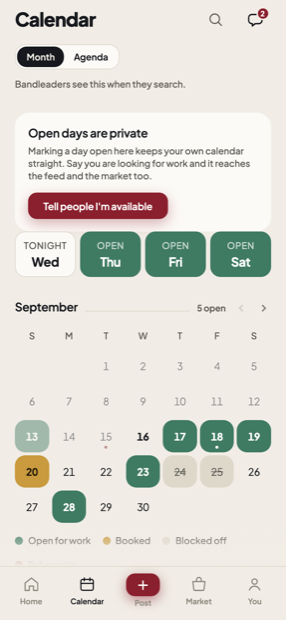
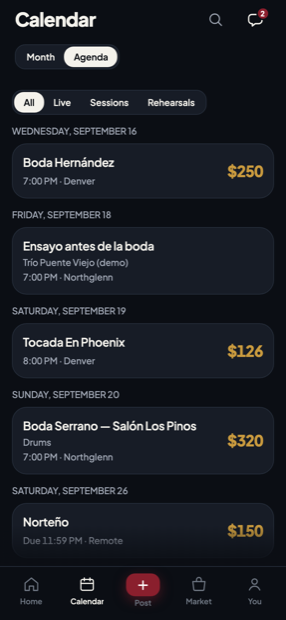
Month and agenda, the same dates.
Three · Market
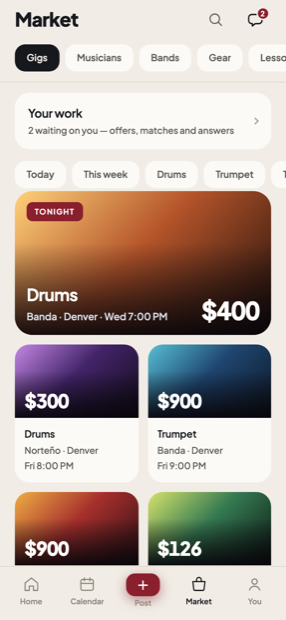
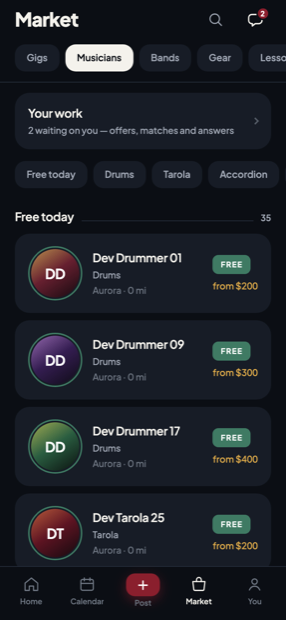
Gigs, musicians, bands, gear.
Ranked by how far away it is and when it is. A gig card carries the money, the instrument, the style and the city — the four things a musician decides on before they read anything else.
Four · Gear
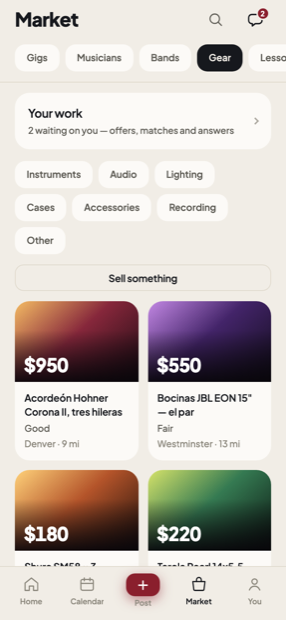
A noticeboard, not a shop.
Amps, cases, a bajo quinto somebody is moving on from. No escrow, no shipping, no payment protection — Jamigo holds no money and the screen says so. Messaging a seller opens exactly one conversation, between the buyer and the seller of one active listing.
Five · Inbox
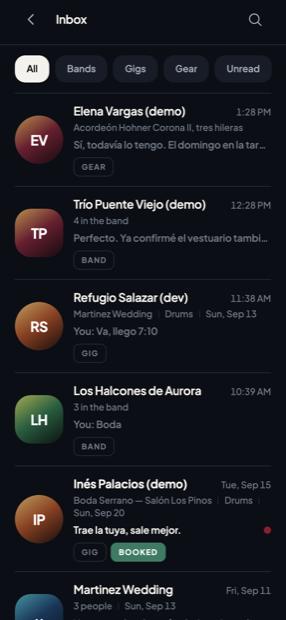
One inbox, four kinds of conversation.
Band chats, gig conversations, hiring threads and gear conversations in one list, filtered. There are no cold DMs in Jamigo: a thread needs a concrete shared thing behind it — a booking, a band, or an active listing.
Six · Terms
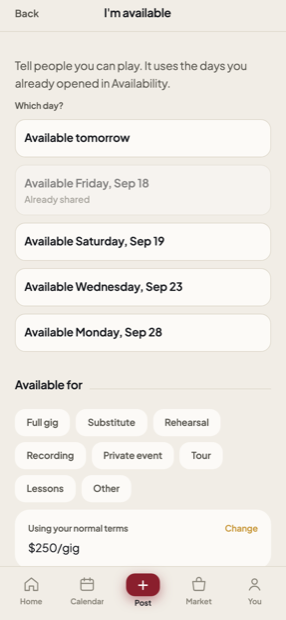
Say your rate once.
What kind of work, what you charge by gig and by hour, what gear you bring, how you want to be paid, and what you need up front to hold a date. The composer shows them as one line with "using your normal terms" already true — zero taps for the common case.
Seven · The band
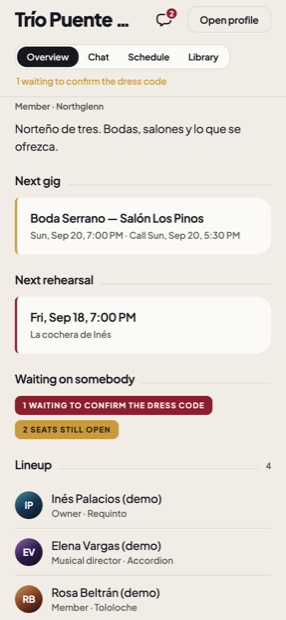
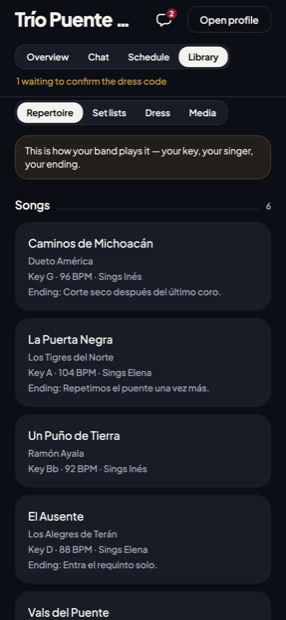
Overview, chat, schedule, library.
One place for the four things a band does. The overview says what is waiting on somebody — unread messages, a dress code nobody has confirmed, a seat still open — because those are the three reasons a bandleader chases people on WhatsApp the day before.
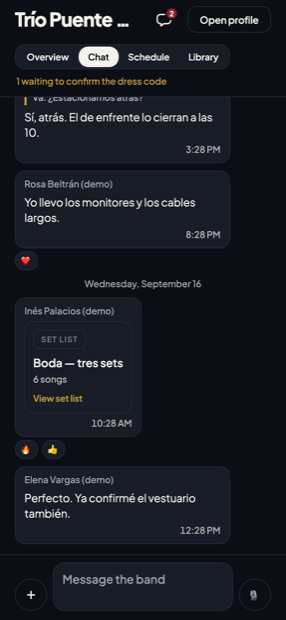
The set list in the chat points at the list, never a copy of it.
Eight · The set list
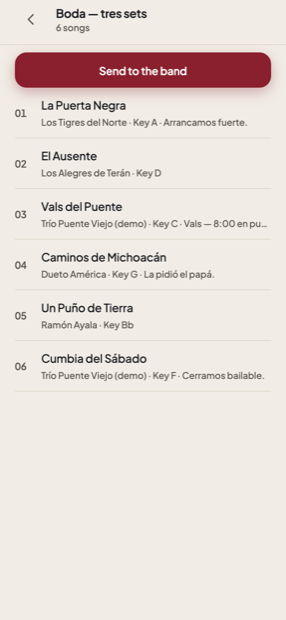
Built once, sent to everybody.
Add a song, move it, take it out, and send the whole thing to the band. It arrives as a card that opens the live list, so a song added on Friday is in the card somebody opens on Saturday.
Nine · The gig
Everything the day needs, in one screen.
Confirm or say you can't make it, then getting ready, on my way, arrived. Below that: the schedule, the venue, the client, the set list, the dress code and your pay.
Your pay is always yours to see. The band's total is not, unless the band said so — that is decided in the database, not by hiding a number on screen.
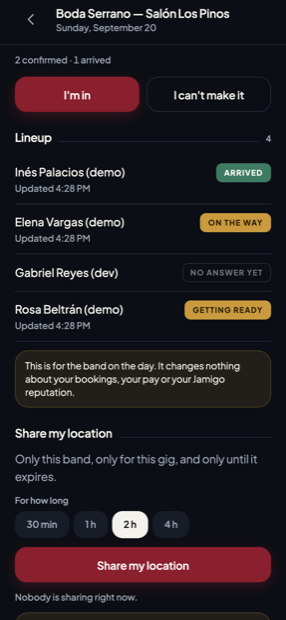
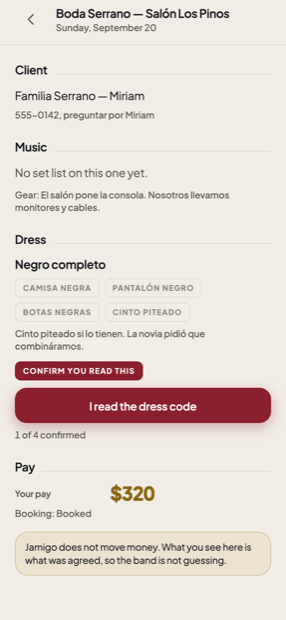
Four musicians, four different answers.
Ten · You
Everything about you, in one place.
Your bands, your public page, your clips, your repertoire, your rate and travel, your work, your reputation and verification. Your public profile stays separate from your settings, because they answer different questions.
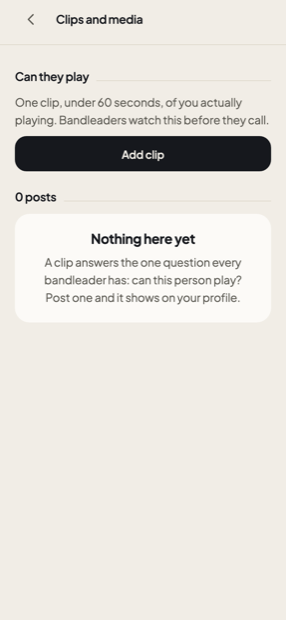
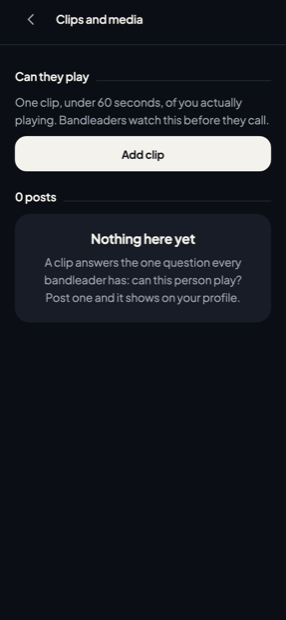
Everything above is the running app, captured from the beta backend by a script rather than assembled by hand. The people and the band are invented and say so. The one thing the beta has no content for yet is Videos: the surface works, and it is waiting on clips from real musicians.